

I spill travel tips , and show you the Japan that tourists usually miss.
Planning a trip to Japan? From transport hacks to translation tools, discover the best apps for Japan travel. These must-have downloads make navigating trains, food, and sightseeing so much easier.
More Japan travel planning guides
Now that your phone is loaded with the right apps, it’s time to sort the rest: routes, transport cards, rail passes, and the itinerary that stops your trip from turning into beautiful chaos.
- best Japan itinerary — the smartest routes, travel flow, and practical tips for planning your trip.
- Suica card in Japan — how to use Japan’s essential IC card for trains, subways, buses, and everyday payments.
- how to get around Tokyo — the easiest way to navigate Tokyo’s trains, subways, and stations without losing your mind.
- is the Japan Rail Pass worth it — a realistic 2026 guide to whether the JR Pass still saves you money.
- two weeks in Japan itinerary — a complete first-timer route covering Tokyo, Kyoto, Osaka, and beyond.
Table of Contents
READ ALSO: 35 Best Things to Buy in Japan: Unique Souvenirs, Snacks & Must-Have Finds
What you should know before picking the “best apps” for Japan travel
- Start with a tiny “stack,” not 30 apps. One for navigation, one for trains, one for translation, one for payments, one for alerts. Everything else is optional.
- Offline is king. Download Google Maps offline areas, save Japanese keyboards (for searching in kana), and cache key phrases in your translator before you fly.
- Trains > cars. Intercity and city travel is rail-first. Choose a route app that shows platform numbers, door positions, and transfer times—this saves real minutes when you’re moving with kids or luggage.
- There’s no single rail app that “does it all” perfectly. Use one primary (e.g., Japan Travel by NAVITIME or Jorudan/Norikae Annai) and cross-check major journeys once.
- Payments are mixed. Cards are widely accepted, but small places still prefer IC cards (Suica/PASMO) or cash. If your phone supports it, set up Suica/PASMO in your wallet for tap-to-pay trains, convenience stores, and vending machines.
- Restaurant bookings move fast. Pair Gurunavi with Google Maps “reserve” buttons. For hot spots, set notifications and keep a backup pick in the same block.
- Weather matters hour-to-hour. Japan’s weather shifts quickly—use tenki.jp or Yahoo! Weather for hyperlocal rain windows, especially in summer typhoon or autumn rain weeks.
- Safety alerts aren’t scary; they’re helpful. Install Yurekuru Call (earthquake early warnings) and NHK World for English news. They don’t buzz you constantly, but when they do, it matters.
- Data first, then apps. A reliable eSIM (airport or reputable providers) beats any single app feature. Prioritize coverage and hotspot support if you’re traveling as a group.
- Battery is a strategy. These apps are GPS-heavy. Carry a 10,000–20,000 mAh power bank, turn on Low Power Mode, and use Airplane Mode + Wi-Fi on shinkansen to save juice.
- Accessibility and family features help more than you think. Look for elevators/ramps filters, stroller-friendly exits, and “few transfers” options in your rail app. It’s usually a toggle—turn it on.
- Keep your hotel pinned in three places. Star it in Maps, save it in your rail app as “Home,” and keep the Japanese address in your Notes for taxi drivers.
- Screenshot everything important. Tickets, QR codes, café reservations, museum entries—Japan’s gates and kiosks move fast; loading screens don’t.
Suggested minimal app kit (swap as you like):
- Navigation: Google Maps (offline)
- Trains: Japan Travel by NAVITIME or Jorudan/Norikae Annai (keep JR-EAST app if you’ll be in Kanto)
- Translation: Google Translate (camera), DeepL (text)
- Payments: Suica/PASMO in Apple/Google Wallet (plus a physical IC card as backup)
- Bookings: TableCheck or Toreta; official museum/attraction apps if required
- Weather & safety: tenki.jp / Yahoo! Weather, Yurekuru Call, NHK World
- Connectivity: eSIM app of your choice; test before departure
Pro moves: turn on Live Activities/widgets for train countdowns, share your Live Location in Maps with your group, and keep JR Pass or long-distance tickets inside a dedicated folder in your wallet app so you’re not fumbling at the gate.
Book these before your Japan trip
Want a smoother arrival in Japan? Sort your rail tickets and mobile data before you go, and thank yourself later when everything feels far less chaotic.
- book Japan Rail Tickets online — a simple way to prepare for intercity train travel before your trip begins.
- get a Japan eSIM with Softbank 5G / DOCOMO 4G LTE — set up mobile data for maps, translation apps, messaging, and transport tools.
Best Apps for Japan Travel
Google Translate

In Japan, English often won’t get you very far—especially once you’re outside the major cities. That’s where Google Translate becomes a real lifesaver. With the camera function, you can scan signs, menus, or product packaging and get instant translations. It also offers text input, voice recognition, and even a conversation mode, all of which are super handy for daily life.
The translations can sometimes sound a bit awkward, but the app is perfect for getting the gist of things or decoding tricky kanji. Many features also work offline if you download the language pack in advance.
➡️ Download for (iOS, Android)
Papago
If you’re looking for an alternative to Google Translate, check out Papago, a translation app by Naver. It’s known as a strong competitor, especially for Asian languages like Japanese. Papago often interprets entire sentences with better context, producing smoother and more grammatically accurate translations—something that’s especially useful with more complex phrases.
You can type text, speak, or take photos to translate signs and menus on the go.
➡️ Download for (iOS, Android)
Welcome Suica App (Virtual IC Card)

The Welcome Suica App was created especially for travelers visiting Japan for a short time. It makes getting around by bus, train, and subway incredibly easy—no more waiting in line at ticket machines, since your ticket is stored virtually on your smartphone. Just tap your phone at the gate when entering and exiting, and the fare is automatically deducted. In other words, it works just like a digital train pass.
The only catch: at the moment, the app is available only for iPhones. If you’re using Android, you’ll need to go with a physical IC card instead.
➡️ Download available for iOS only!
Japan Travel by NAVITIME

This app was designed specifically for travelers in Japan and is especially helpful when navigating train routes. You’ll get accurate information on departure times, transfers, travel duration, and even which platform to use. You can also enter whether you’re traveling with a Japan Rail Pass, and the app will show you the routes that are valid for it. It’s the perfect tool for anyone who doesn’t want to get lost in Japan’s massive rail network!
➡️ Download for (iOS, Android)
Gurunavi
Gurunavi is one of the most popular apps in Japan for restaurant searches, reservations, and menu information . The app offers a wide selection of restaurants in all price ranges, from budget ramen shops to upscale sushi restaurants.
➡️ Download for ( iOS , Android )
Tabiko (virtual travel assistant)

With the Tabiko app, you get real help from Japanese travel experts directly on your smartphone. Whether you need restaurant recommendations, are looking for a connection, or want to know how to find an onsen , for example, you can ask your questions (in English) via the integrated chat and receive personalized tips and information from real people who are in Japan.
➡️ Download for ( iOS , Android )
WeatherNews Japan
WeatherNews is one of the most reliable weather apps in Japan, offering highly accurate and localized forecasts. You’ll find detailed information on rain, typhoons, snow, UV levels, and even pollen counts. The app is mostly in Japanese, but with a bit of intuition (or Google Translate ) it’s still easy enough to use.
➡️ Download for (iOS, Android)
Tabiori
Planning a trip with friends or your partner? Tabiori is the ultimate itinerary app you can edit together—and yes, you can even print your travel booklet at the nearest convenience store!
This app is packed with features that make organizing a trip simple and fun. The interface is super intuitive, and everyone in your group can update the shared schedule in real time. You’ll also find a built-in chat function and even a location-sharing option that only works during the trip, so it’s both practical and safe.
The design itself is cute and cheerful, with colorful icons that make you excited for the journey. And if you’re feeling nostalgic, you can print out your itinerary to carry like a paper travel journal—just like the ones we used to have on school trips.
- Best for: Pre-trip planning
- Price: Free (with optional in-app purchases)
➡️ Download for (iOS, Android)
READ ALSO: 30 Best Places To Visit in Japan: Secret Spots You Need to See At Least Once
Route Maker
Ever struggle to figure out how long it takes to get from one sightseeing spot to the next? Route Maker solves that headache by building your entire sightseeing route automatically.
All you need to do is register the places you want to visit, and the app creates the most efficient itinerary. It estimates travel times between spots, so you’ll know exactly how much time to budget. No more switching between apps or wasting time searching for directions every hour—it’s all laid out for you.
- Best for: Pre-trip planning and on-the-go navigation
- Price: Free (with optional in-app purchases)
➡️ Download for iOS
READ ALSO: Best Japan Itinerary: The Best Routes, Costs & Travel Tips
TripHugger
TripHugger is made for group adventures. Whether you’re traveling with friends or as a couple, this app lets everyone add spots, adjust schedules, and share ideas in one place.
It works offline too—so even if you lose signal, your plans sync once you’re back online. During the trip, tap on any registered spot to pull up navigation instantly. On top of that, there’s a built-in group chat, so even if you can’t meet to discuss plans in person, the brainstorming never stops.
The free version covers most needs, but the paid upgrade unlocks cool extras like adding unlimited spots and searching destinations directly from images.
- Best for: Before, during, and after your trip
- Price: Free (with optional in-app purchases)
➡️ Download for (iOS, Android)
DAZZ

Turn everyday snapshots into aesthetic retro photos with DAZZ. This app mimics the look of old-school film and instant cameras, giving your travel album a stylish, nostalgic touch.
It’s effortless to use: just choose a filter that matches the vibe of your trip and snap away. DAZZ works for both photos and videos, so you can give your travel memories a timeless feel.
- Best for: On-the-road photography
- Price: Free (with optional in-app purchases)
➡️ Download for iOS
Yoru-Satsu Camera (夜撮カメラ)
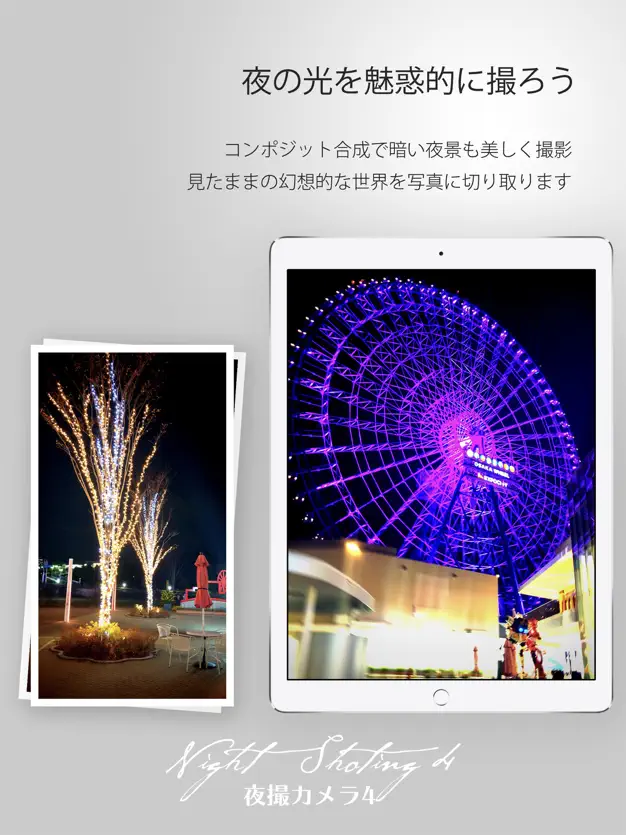
Night photography can be tricky, but Yoru-Satsu Camera makes it simple. Just tap the shutter, and the app takes care of settings—no expertise required.
From fireworks and winter illuminations to neon streets and cozy restaurant shots, your night images will come out crisp and vibrant. It even supports creative light-art photos for something a little different.
- Best for: Shooting nighttime cityscapes or festivals
- Price: Free (with optional in-app purchases)
➡️ Download for iOS
Taxi App GO
Calling a taxi in Japan has never been easier. With GO, your location links directly to the nearest taxi, giving you estimated arrival times and a notification once it’s outside.
Payments are cashless with GO Pay, so you can settle the fare mid-ride and simply step out when you arrive.
- Best for: Getting around during your trip
- Price: Free (fares and fees apply)
➡️ Download for (iOS, Android)
Taxi App S.RIDE
Powered by Sony’s tech, S.RIDE boasts an impressive 95% dispatch success rate. It goes beyond simple booking, offering pre-arranged rides, free large-vehicle selection, and a points program for discounts.
The app’s interface is minimal: swipe once and a taxi is on its way. Handy when you’ve got luggage in both hands.
- Best for: Convenient city transport during trips
- Price: Free (fares and fees apply)
➡️ Download for (iOS, Android)
Locatone
Part travel app, part audio adventure. Locatone uses Sound AR™ to add layers of sound to the real world. Start a “tour” in the app, and when you reach a certain spot, audio narration or themed music plays automatically.
From playful character guides to cultural collaborations, there are over 270 tours across Japan (as of mid 2025). Imagine strolling through Tottori’s Mizuki Shigeru Road while being guided by Medama-oyaji—it’s a whole new way to experience a place.
- Best for: Immersive sightseeing during your trip
- Price: Free (some paid tours available)
➡️ Download for (iOS, Android)
VLLO
If you’re into vlogging or just want to edit travel clips on the go, VLLO is a powerhouse. It comes with thousands of songs, stickers, templates, and effects—giving your videos professional polish straight from your phone.
The free version has plenty, but the paid plan lets you fine-tune colors, brightness, and other pro-level settings.
- Best for: Editing videos during and after your trip
- Price: Free (with optional in-app purchases)
➡️ Download for (iOS, Android)
Scene
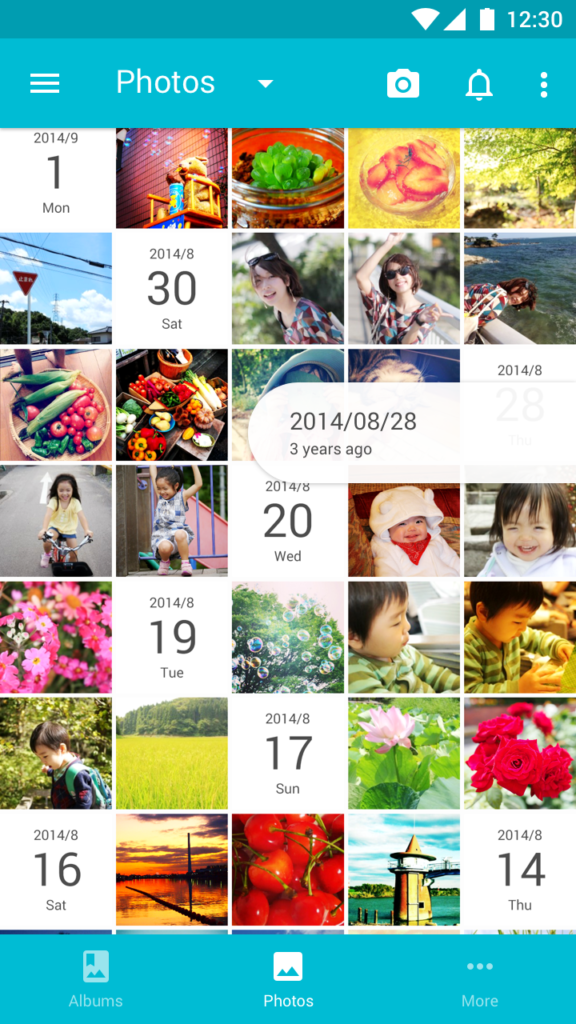
Scene keeps your photos neat by automatically sorting them by date. It’s clean, simple, and easy to navigate, perfect for travelers with photo-heavy trips.
You can add comments, build albums, and share with friends. There’s even a photobook service for turning digital memories into keepsakes.
- Best for: Organizing photos post-trip
- Price: Free (with optional in-app purchases)
➡️ Download for (iOS, Android)
- Japan Slow Travel Itinerary (2026): A 3-Week Route for Seeing More by Rushing Less

- Japan Solo Travel for Introverts Itinerary: A Calm 10-Day Route Through Tokyo, Kyoto, Nara and Osaka

- Honeymoon in Japan Itinerary (2026): Romantic Places, Dreamy Hotels & Easy Trip Ideas

- Two Weeks in Japan (2026): The Perfect Itinerary for First-Time Travelers

- Ultimate Japan Alps Itinerary (2026): What To See And Do in 2 Days